

Webmap Extension When the Web Talks Back

There’s a quiet frustration most of us have learned to live with.
You open a website to understand something.
You start scrolling.
You skim the headings.
You search for keywords.
You open another tab to check context.
Then another.
Before you know it, you’re no longer thinking you’re navigating.
The internet has never lacked information.
What it lacks is interaction.
Web pages are still designed to be read, not interrogated.
They present information… but they don’t respond to curiosity.
And in a world where time, focus, and clarity matter more than ever, that gap has started to feel very real.
This is where web tools, especially browser extensions, quietly became important.
Why Web Tools Matter More Than We Realize
Most of our work today happens inside a browser.
Research.
Learning.
Analysis.
Decision-making.
Almost everything begins with a webpage.
Yet browsers still assume one thing:
you will do all the heavy lifting of understanding.
You’ll search manually.
You’ll scan endlessly.
You’ll connect ideas on your own.
Extensions changed that assumption.
They didn’t replace the web.
They improved it.
They allowed intelligence to live inside the page not outside it.
They reduced friction.
They preserved context.
And it’s exactly in this space that the Webmap Extension belongs.
What Is the Webmap Extension?
At its core, the Webmap Extension does something very simple yet deeply powerful.
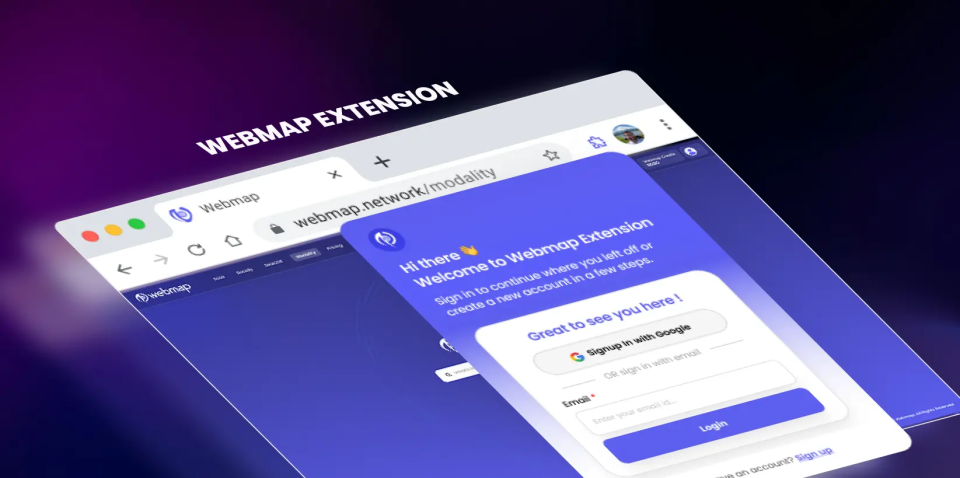
It lets you chat with any website you’re already on.
No copying content.
No opening another AI tool.
No breaking your flow.
You visit a webpage.
You click the Webmap icon.
And here that page becomes a knowledge base you can talk to.
The extension analyzes the webpage directly inside your browser and creates an AI-powered chat experience right there, on the site itself.
From that moment on, the website stops being static.
It answers.
How It Works (In Non-Geek Speak)
The process is intentionally simple:
- Install the Webmap browser extension
- Open any website or webpage
- Click the Webmap icon
- Start chatting with the generated knowledge base
That’s it.
No setup rituals.
No manual uploads.
No switching tabs.
The content you’re already reading becomes something you can question, clarify, and explore instantly.
What Changes When a Website Becomes a Conversation
Something subtle yet important happens when you stop searching inside a page.
You stop hunting for sentences.
You stop guessing where information might be hidden.
Instead, you start asking better questions.
Not:
- “Where was this mentioned?”
- “Did I miss something?”
- “Is this explained somewhere else?”
But:
- “What does this really mean?”
- “How does this connect to the bigger picture?”
- “What should I actually focus on here?”
The Webmap Extension doesn’t pull you away from the web.
It brings intelligence into it.
You stay on the page.
Your context stays intact.
Your curiosity stays uninterrupted.
And the knowledge doesn’t disappear when a tab closes; it becomes part of your broader Webmap experience.
Why This Matters More Than It Seems
Most tools today ask users to adapt to them.
Switch tabs.
Paste links.
Re-explain context.
Start again.
The Webmap Extension does the opposite.
It adapts to you.
Whether you’re reading documentation, reviewing research, exploring a competitor’s website, or learning something new the extension meets you exactly where you are.
No friction.
No interruption.
No mental reset.
It respects how humans actually think:
in moments, not workflows.
Conclusion
The web has always been full of answers.
What’s been missing is the ability to ask questions without breaking focus.
The Webmap Extension brings intelligence directly into the pages you already use. No switching tabs. No copying content. No starting over, just curiosity, answered in context.
It doesn’t change how you browse.
It changes how you understand.
And when information starts responding instead of sitting still, research feels lighter, faster, and far more natural.
The Webmap Extension isn’t about adding another tool.
It’s about making the web itself easier to think about.